What Is a Webinar? Formats, Roles and How to Host One People Stay For
TL;DR
- A webinar is a live presentation, interview or panel delivered online to an audience who mostly watch and listen, then take part through Q&A, chat and polls.
- In an online meeting everyone can talk and be seen. In most webinars only the host and speakers are on camera; attendees are not.
- Cover three roles: a host or moderator, the speakers, and a producer running the tech (who can screen questions too).
- There is no proven attention limit to design around. Change the voice or the activity every few minutes, and run the Q&A properly.
What is a webinar? It is a seminar, talk or panel run over the internet. A few people present, a much larger audience watches, and that audience joins in through questions, chat and polls. The word blends “web” and “seminar”. It is now a standard format for training, briefings, launches and internal updates.
It is not going away. In autumn 2024, 28% of working adults in Great Britain were hybrid working, according to the ONS. A lot of those people now meet their own organisation through a screen.
What is a webinar, and what does the word mean?
A webinar is a presentation that takes place online, with a live audience who can respond. Dictionary.com defines it as a seminar or other presentation online, where remote participants watch and hear the presenter, ask questions and sometimes answer polls. It dates the word to 1990 to 1995.
The Cambridge definition puts the stress on timing: a group of people go on the internet at the same time to study and discuss something. That is the useful part of the webinar meaning for organisers. It is an event, with a start time and an audience, not a video on a shelf.
Most webinars are recorded, so you are planning for two audiences: the one watching live and the one watching later. In ON24’s analysis of its 2024 platform data, 45% of attendees of B2B webinars joined on demand rather than live.
What is the difference between a webinar and an online meeting?
An online meeting is a conversation; a webinar is a broadcast with a way back in. In a meeting, everyone can unmute, share a screen and be seen. In a webinar, the host and speakers present, and the audience takes part through set channels.
| Online meeting | Webinar | |
|---|---|---|
| Who speaks | Anyone | Host and speakers |
| Attendee cameras and mics | Usually on, or available | Usually off |
| Typical size | A team, a project group | Dozens to thousands |
| Audience input | Talking | Q&A, chat, polls |
| Registration | Rarely | Usually |
The software is built around that split. Microsoft’s guidance for its own webinar product says that in a public webinar, attendees cannot turn on their mics or cameras unless an organiser turns them on for everyone.
Is a webinar the same as a seminar or a virtual event?
No. A seminar is the in-person original, and a virtual event is usually bigger. Cambridge defines a seminar as an occasion when a teacher or expert and a group meet to study and discuss something. A webinar keeps the expert and the discussion and moves the room online.
A virtual event is the umbrella term. It might be a two-day conference with several stages, breakouts and networking, of which a webinar is one building block. If you are planning that larger version, start with the guide on how to host a virtual event.
Am I on camera during a webinar?
As an attendee, almost certainly not. In most webinars, attendees cannot be seen or heard unless the organiser deliberately brings them on. You can watch from your kitchen and nobody will see you.
Speakers and panellists are a different matter: they are on camera throughout. For them, Stanford’s Jeremy Bailenson found that constantly seeing yourself on video is tiring, and suggests hiding self-view once you are framed properly. Brief your speakers on that before they go live.
If you want attendees on camera, say so in the invitation. Springing it on them halfway through is how you lose people. The guide to keeping remote attendees engaged covers when cameras help and when they hurt.
Five webinar formats and when to use each
Pick the format before you pick the speakers. Each one suits a different job.
| Format | What it looks like | Best for | Watch out for |
|---|---|---|---|
| Single presenter | One expert, slides, Q&A at the end | Training, policy briefings | A monologue with nowhere to breathe |
| Interview | Host asks, expert answers | Launches, leadership updates | A host reading a script nobody believes |
| Panel | Three or four speakers and a moderator | Industry views, debate | Too many voices, nobody disagreeing |
| Q&A-led | Five-minute opener, then audience questions | Change announcements, all-hands | Silence in the first minute |
| Demo or workshop | Live walkthrough with tasks | Product training, skills | Tech failing in front of everyone |
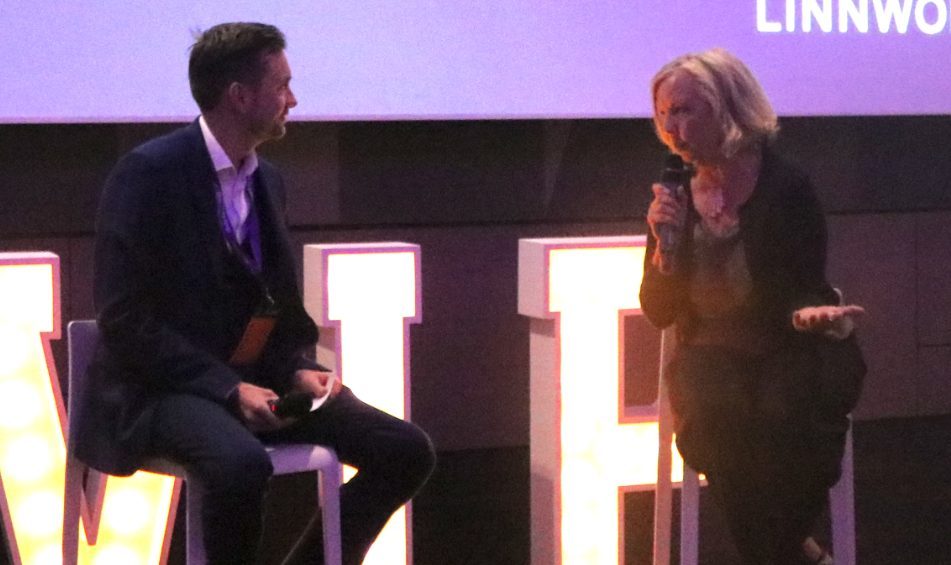
Do not overlook the interview. A host asking the questions the audience would ask does more for attention than another ten slides.
Who runs a webinar, and what is a webinar moderator?
A webinar moderator is the person who runs the session on air, usually the host. Around them, a webinar needs speakers and a producer. On a small internal session one person might wear two hats, but every role still has to be done by someone.
- Host or webinar moderator. Opens, sets expectations, introduces speakers, keeps time, asks the follow-up nobody else will, runs the Q&A and closes. On a panel, the moderator also decides who speaks next.
- Speakers. Bring the content, and know exactly how many minutes they have.
- Producer. Runs the platform: slides, who is on screen, recording, captions, and the backup plan when a speaker’s connection drops.
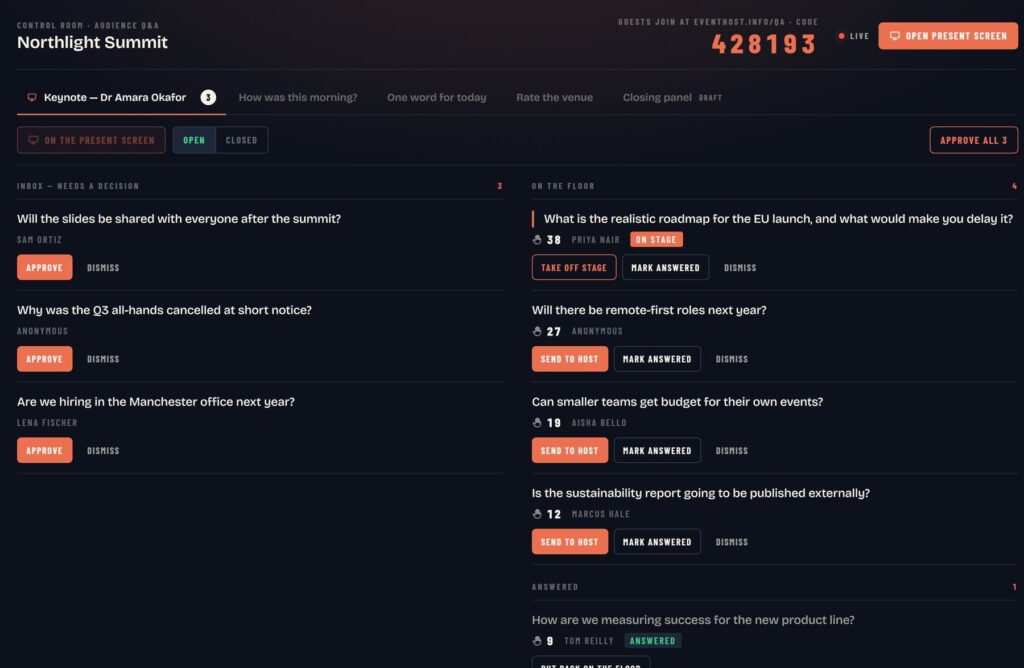
- Q&A screener. Reads incoming questions, merges duplicates and passes the best ones to the host. On smaller webinars the producer does this.
If you can only add one person, add a producer. Then the host can watch the audience instead of the buttons.
How to host a webinar people stay for
If you are running a 45-minute webinar with one or two speakers, start from this running order. Adjust the minutes. Keep the shape.
| Time | Segment | Led by |
|---|---|---|
| 15 minutes before | Tech check, speakers in the green room | Producer |
| 0:00 | Welcome, housekeeping, a one-click poll | Host |
| 0:03 | Why this matters, and what people will leave with | Host |
| 0:05 | First speaker segment | Speaker |
| 0:13 | Poll or chat prompt, host reads out two replies | Host |
| 0:16 | Second segment, or host interviews the speaker | Host and speaker |
| 0:28 | Audience Q&A | Host |
| 0:41 | Summary, one action, where the recording will be | Host |
| 0:45 | Finish on time | Host |
The interaction is not decoration. In a Harvard study of a 21-minute online lecture, split into four segments, students who were quizzed after each segment reported mind wandering 19% of the time. The groups without those breaks reported 39% and 41%. Small, regular chances to take part keep minds on the content. A five-minute rhythm is a good place to start.
A few more things that separate a webinar people stay for from one they leave running in a background tab:
- Open with something to do. A poll in the first minute tells the audience this is not a broadcast. The virtual icebreakers guide has options that work with a large audience.
- Seed the Q&A. Have two questions ready in case the first minute is quiet.
- Use names. Reading out a comment with the person’s name tells everyone else that someone is listening.
- Make it accessible. W3C guidance on remote meetings asks hosts to make sure captions are provided, and to share materials in advance rather than only on screen.
- Plan for no-shows. In ON24’s 2024 data, 57% of B2B webinar registrations converted to attendees. Send the recording to everyone who registered.
For more tactics once the basics are in place, see these engagement ideas.
How long should a webinar be?
As long as the content needs, and no longer. There is no reliable attention limit to design around. Neil Bradbury’s review of the lecture research found the primary data do not support a 10 to 15 minute attention limit.
The more useful finding from the same review is that attention varied most between teachers, not between formats. Who presents, and how, matters more than the clock. So set the length from the content, then change the voice or the activity every few minutes and finish on time.
Bringing in a webinar host
Engagement is not a gimmick bolted on at the end. It is how you keep the whole room with you from the first minute. Online, the room can leave without anyone noticing, so that has to be designed.
I am broadcast-trained, with 20+ years on stage and television and 800+ events hosted, and I host virtual and hybrid events as well as conferences in the room. For live Q&A I use RoomReader, which I built: questions arrive in a moderation queue first, the audience can back the ones they want answered, and polls and word clouds run alongside. It works in the browser with nothing to download, and it is included when I host. More on how that works online is on the virtual event host page.
Got a webinar, a virtual town hall or a hybrid conference coming up? Send the agenda or check availability at hello@conferencehost.uk.



17:00Close
Send me your agenda. I’ll show you where the room comes alive.
A fixed price, a free planning call, and a reply within one working day.