DemoNo sign-up, nothing to download
Try RoomReader. You are the delegate, the moderator and the big screen.
This is the real software running a conference that does not exist. Ask a question on the phone, approve it in the control room, and watch it land on the projector, all on one page. Two hundred simulated delegates are in the room with you, backing questions and answering the poll, so there is always something moving.
Nothing is saved·Nobody else sees it·It all runs inside your browser
09:47Opening keynote
Meridian Group, somewhere in the second session
Five things to try. They take about ninety seconds between them, and you can skip straight to whichever one you came for.
- 01JoinTap Join on the phone. The code is typed in for you, exactly as it is on the big screen in the room.
- 02AskAsk the chief executive anything. It goes to the moderator first, not straight to the screen.
- 03Back oneOpen The floor and back somebody else’s question. The big screen reorders as you watch.
- 04ModerateIn the control room, approve a question and press Send to host. That is the whole job.
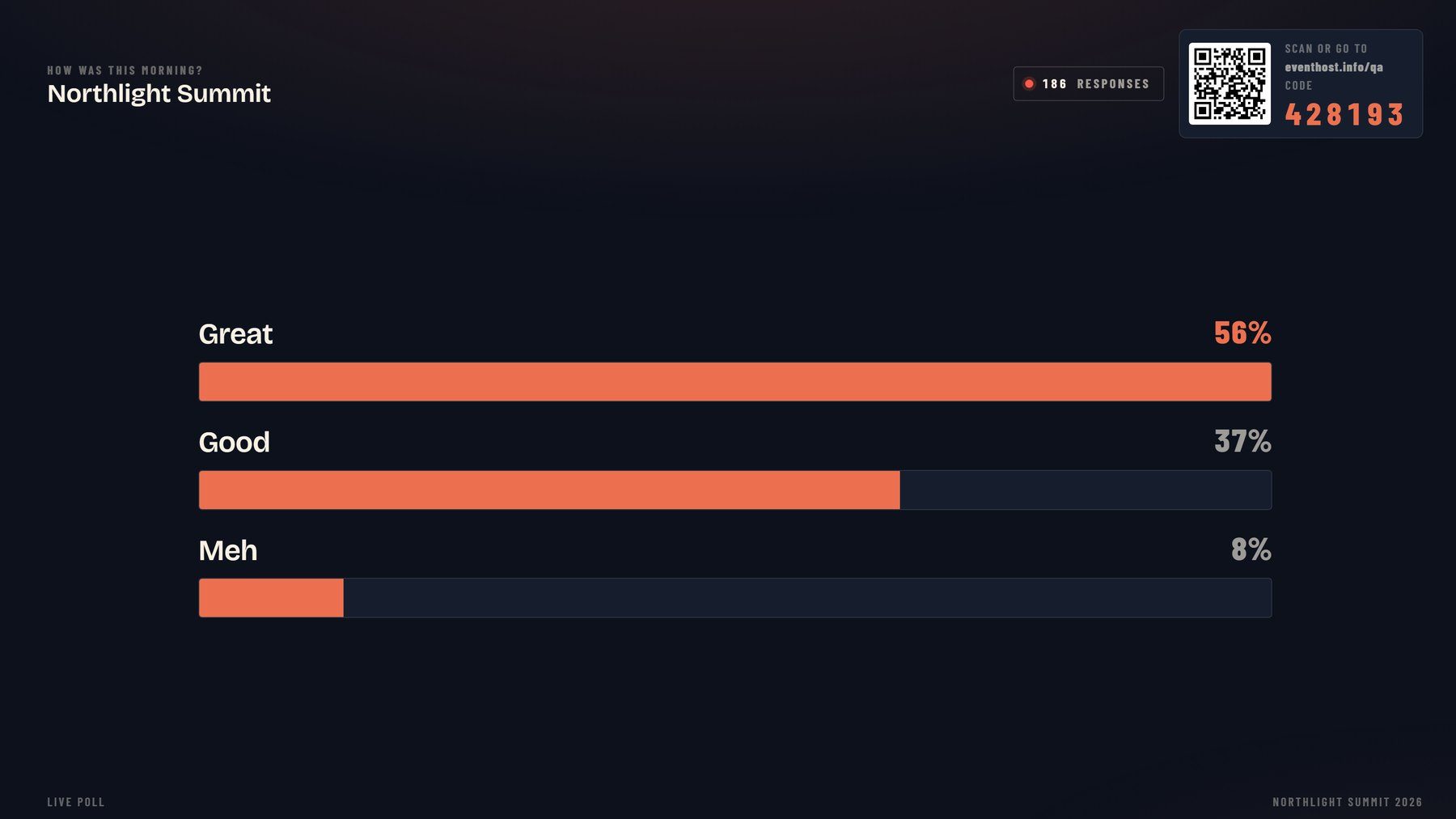
- 05VoteGo back to the running order and try the poll, the word cloud and the rating.
The conference above exists only in this tab. Nothing you type is sent anywhere, saved, or shown to anyone else, and closing the page ends it.
ScreensWhat you just used
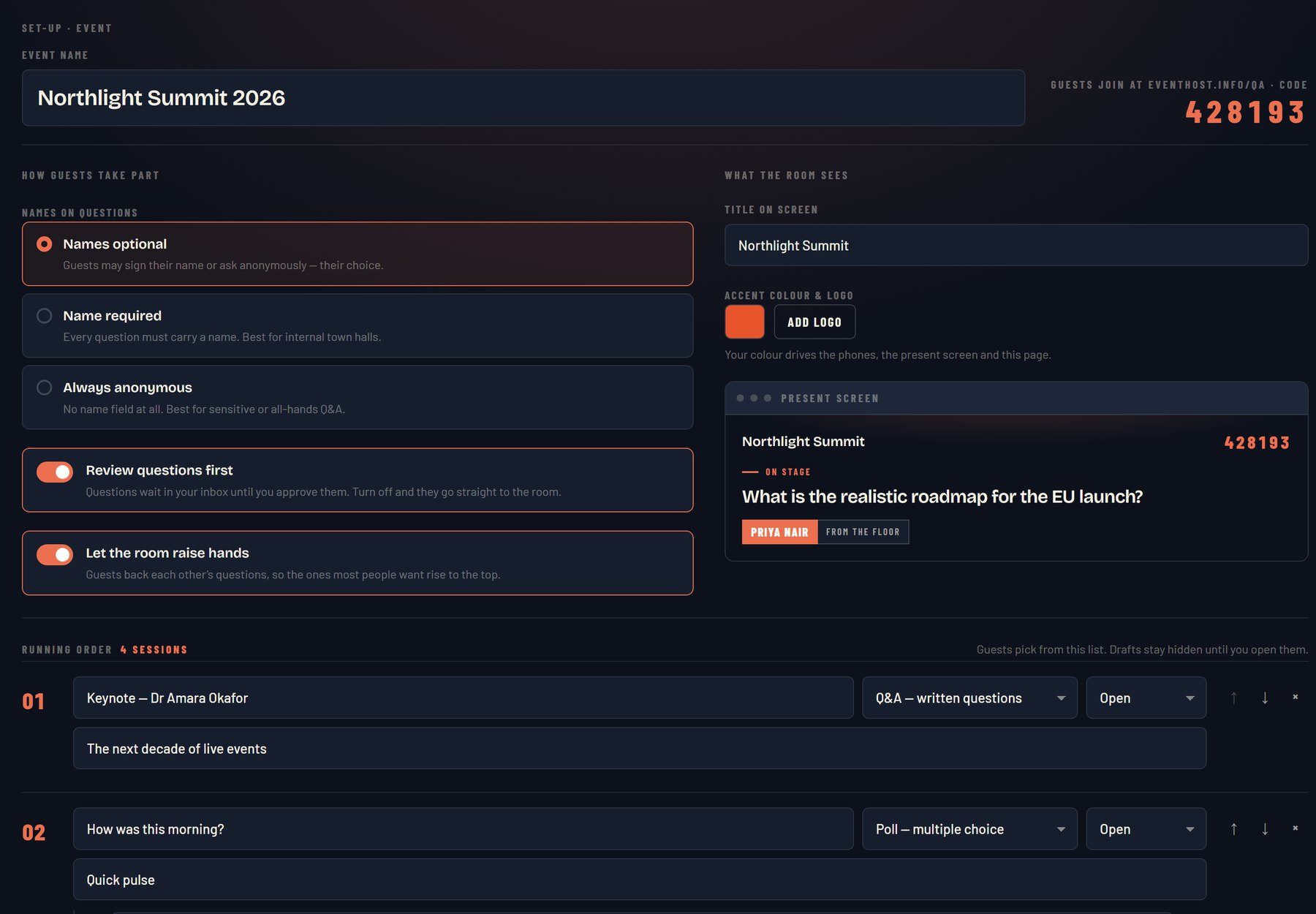
Three screens, one room
The phone is the whole app
No download, no account, no IT ticket. A delegate scans a code or types six digits and they are in, on whatever phone they already have. They ask in their own name or anonymously, and they back the questions they most want answered.
The control room is the difference
Every question lands in a queue first. Approve it, fix a typo in it, tag it for one panellist, reply in writing, or drop it. Then send the right one to the stage at the right moment. Nothing reaches your screen that you have not seen.
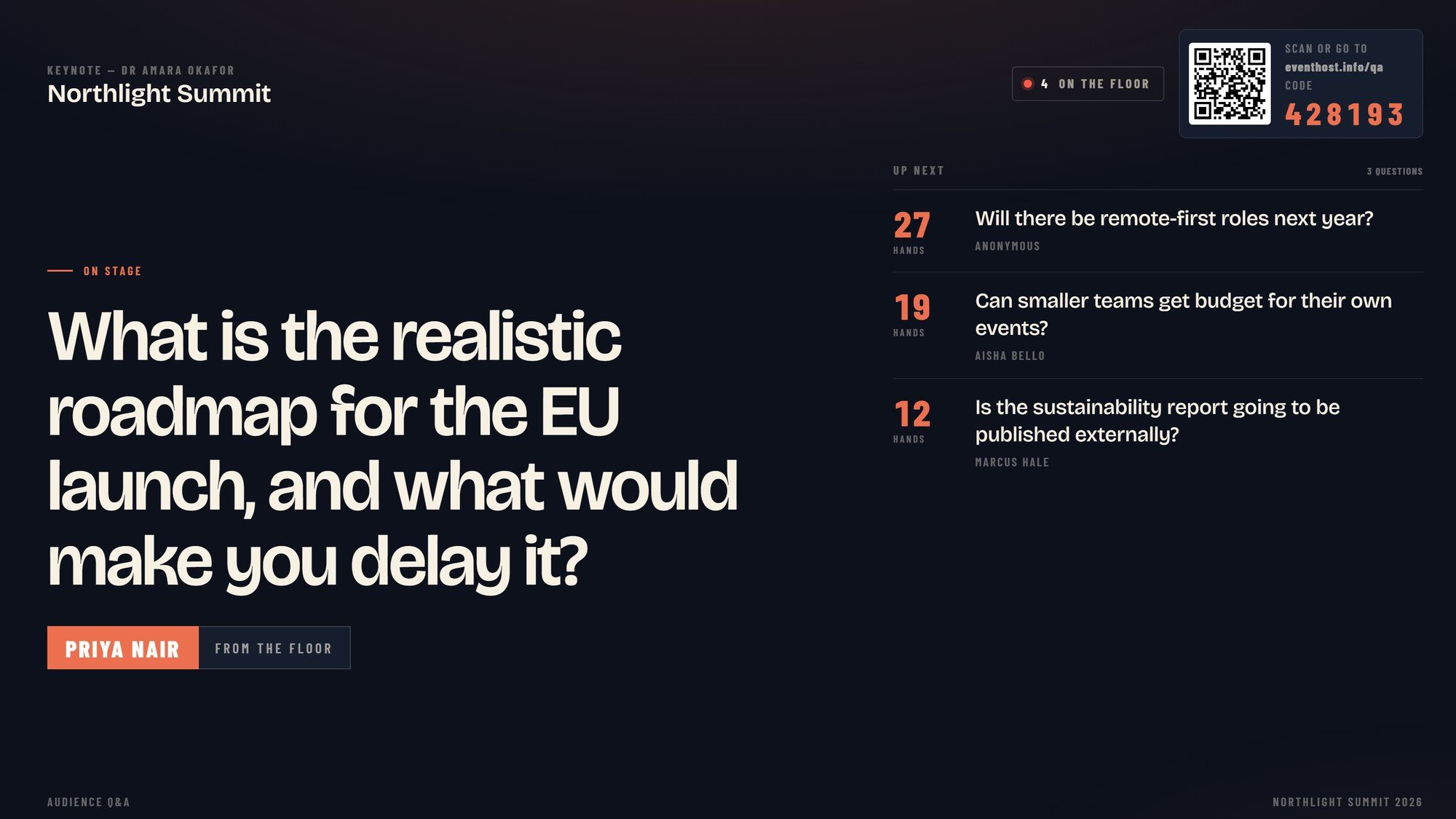
The screen reads from the back row
Broadcast type, the asker’s name in a lower third, and an up-next rail that reorders live as hands go up. Polls, word clouds and ratings run on the same screen, in your brand colours.
HonestNot in the demo
What the demo leaves out
The demo is the core loop and nothing else, because a tour of every setting is not a demo, it is a manual. The real thing also carries your logo and brand colour on every screen, your own running order of sessions across a two-day agenda, an optional passcode so only your delegates can join, named co-host links so somebody else can moderate beside you, a speaker’s confidence monitor, a transparent overlay for the broadcast mix, and a full export of every question and vote afterwards.
And the eight whole-room game shows, which run on the same no-download model and are what most organisers book me for in the first place.
NextTwo ways in
Liked it? There are two ways to get it
Book me to host your conference and RoomReader comes with me, set up and run on the day at no extra cost. Or join the waitlist for the self-serve version, which is being built now.
FAQBefore you book
Questions about the demo
Anything else, call me on 07596 851647 or email hello@conferencehost.uk.
Is this the real software?
Yes. The three panes are the same files a paying conference runs: the guest app, the projector screen and the control room, byte for byte. The only difference is that the server behind them has been replaced by a stand-in that runs inside your own browser, so the demo needs no event, no login and no database.
Can other people see what I type?
No. The conference in the demo exists only in your browser tab, and it disappears when you close it. Nothing is sent anywhere, nothing is saved, and the next visitor gets a clean room. That is also why the demo is worth trying at your desk before a meeting: you cannot embarrass yourself.
Who are the other people voting?
Simulated. A live Q&A with one person in the room would show you nothing, and the whole point of RoomReader is what a room does together: questions rising as people back them, a poll moving, a queue filling up. So the demo runs a room of delegates alongside you. The questions they ask are invented, and so is Meridian Group.
What is not in the demo?
Your branding and logo, your own running order, the passcode and co-host controls, the speaker view and broadcast overlay, the post-event export, and the eight whole-room game shows. All of those are in the real thing. The demo is the core loop, kept small on purpose.
Can I use RoomReader at my own conference?
Today it is included when I host. A self-serve version with your own login and event dashboard is being built now. Join the waitlist and you will hear first, with early pricing.
It is not loading properly
The demo needs a browser with JavaScript on, and it is happiest on a laptop where all three screens fit side by side. On a phone the three panes become tabs. If something looks stuck, press Reset the room under the panes. If it is still stuck, email hello@conferencehost.uk and tell me the browser, because I would like to fix it.
17:00Close
Send me your agenda. I’ll show you where the room comes alive.
A fixed price, a free planning call, and a reply within one working day.