Interactive Presentation Ideas to Keep a Room Awake
TL;DR
- An interactive presentation is not a talk with a poll bolted on the end. It is a talk built so the audience does something at planned points, not just listens.
- Aim your interaction at the moments attention naturally sags: the first few minutes, the mid-point drift, and the stretch after a dense slide.
- The reliable techniques for a professional room are live polls and questions, scaled think-pair-share, a live demonstration, and a prompted story or prediction.
- Everything should run in the audience’s phone browser with nothing to download, so people can take part without leaving their seat or their comfort zone.
- The point is not novelty. It is keeping a room with you and helping people remember what you said.
An interactive presentation earns the room’s attention instead of demanding it. If you are speaking to a hall of professional adults, the risk is not that they walk out. It is that they stay in their seats and quietly drift onto email while you talk at them. The fix is to design participation into the talk itself, so the audience is doing something at the points where a passive listener would fade.
This guide is for speakers, not just hosts. These are techniques you can build into your own slot, whether you have fifteen minutes or an hour, and whether the room holds fifty people or five hundred.
Why does an interactive presentation hold a room better?
An interactive presentation holds a room because it interrupts the slow decline of passive attention before it becomes a problem. When people only listen, their focus is fragile. When they have to think, answer, predict or discuss, they re-engage.
Research on lectures is a useful guide here. The popular claim that attention collapses at exactly ten minutes is not well supported, and the same review found that the biggest differences in attention came from the person teaching, not from the format or the clock. In other words, the timer is not the problem. What you do with the room is.
The practical takeaway is simple. Every time you ask the audience to act, you reset their attention. A well-placed interaction buys you the next stretch of listening.

What counts as an interactive presentation, really?
An interactive presentation is one where the audience contributes at deliberate points, and where that contribution changes what happens next. A show of hands you ignore is not interaction. A live vote that steers which example you use next is.
There is a spectrum, and you can pick the level that fits your room and your nerve:
- Low commitment: a live poll, a one-word answer on a phone, a quick prediction.
- Medium commitment: a question typed in and answered live, a paired discussion, a ranking exercise.
- High commitment: a volunteer demonstration, a decision the room makes together that you then act on.
The lower rungs feel safe for a professional adult, which is exactly why they work. Save the higher-commitment moments for when the room has warmed up.
How do you plan interactivity without losing control of the room?
You plan interactivity by mapping your interactions to the shape of the audience’s attention, then scripting the transitions in and out of each one. Improvised participation is where talks come unstuck, so treat every interactive moment as a planned segment with a clear start and finish.
The energy in a room is a curve, not a flat line. It dips in predictable places: the cold first few minutes before people settle, the mid-talk drift after a run of dense slides, and the tail end when they start thinking about the break. Put your interactions on those dips.
A rough plan for a thirty minute slot:
- Minute two or three: a light opener, a single poll or a one-word answer, to get every phone in hand.
- Around the middle: a think-pair-share or a live question, timed for the point your content gets heaviest.
- Near the end: a prediction, a vote on what to do next, or a commitment the room types in.
Script your handovers. Tell the room exactly what to do, how long they have, and what you will do with the result. Ambiguity is what makes participation collapse.
Which live polling and question techniques actually work?
The polling and question techniques that work are the ones with a real reason to look up from the phone. A poll that just shows a bar chart nobody cares about is a gimmick. A poll whose result decides your next five minutes is a hook.
Ideas worth building in:
- The steering poll. Offer two directions and let the vote pick which one you cover in depth. The room now has a stake in your content.
- The reveal poll. Ask people to predict a number or an outcome, then show the real answer. The gap between guess and truth is memorable.
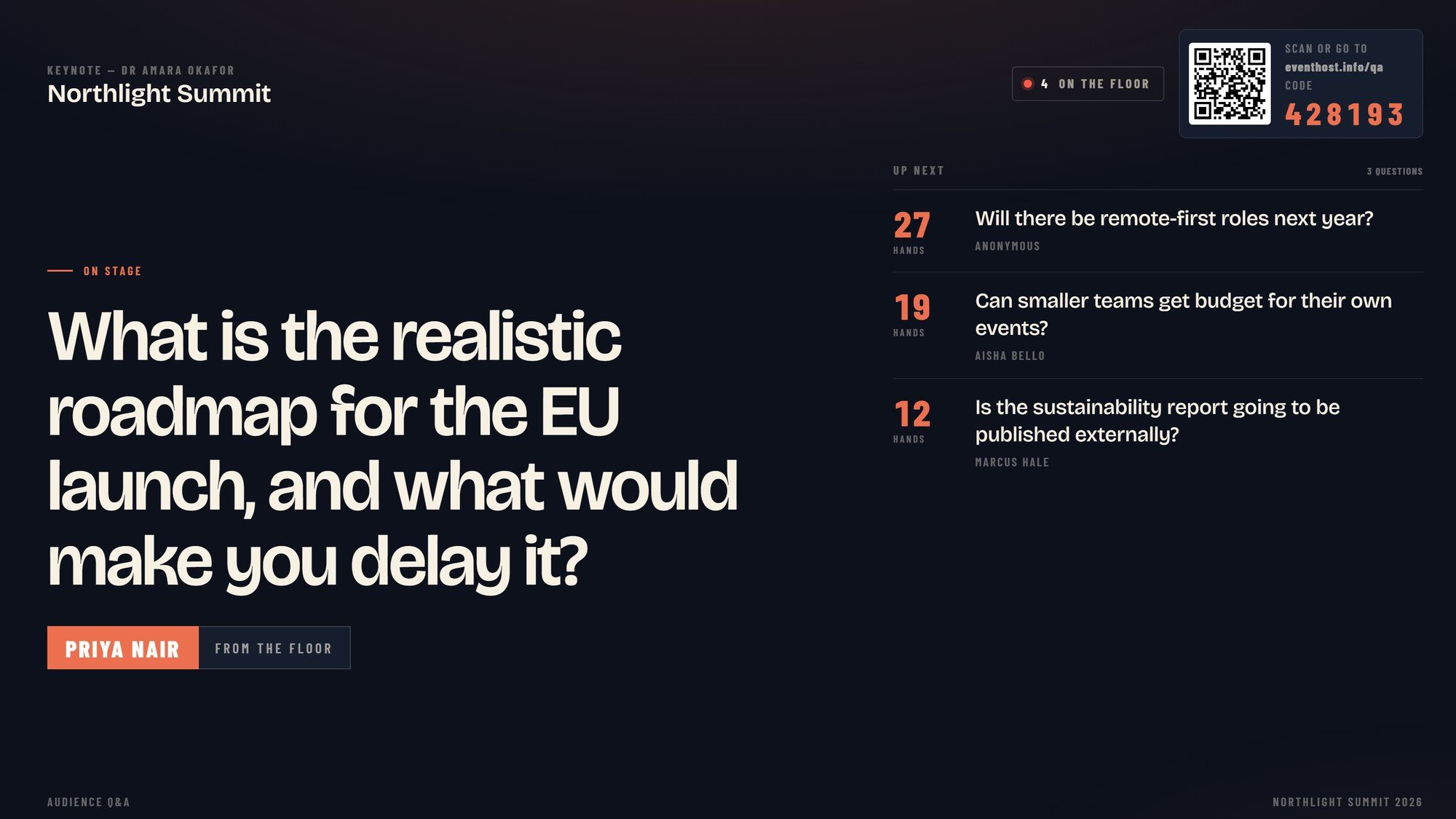
- Live questions, curated. Let people submit questions throughout, not just at the end, so you answer the real ones while they are still hot. This works far better than a microphone passed around a silent hall.
- The temperature check. A quick one-tap read on confidence or agreement before and after a section, so people can see their own thinking shift.
Everything should run in the phone browser with nothing to download. The moment you ask a professional audience to install an app, most of them opt out. If you want the wider view of keeping a room active across a whole event, our audience engagement page covers the principle in full.

How do you scale think-pair-share to a hall of hundreds?
You scale think-pair-share by keeping each stage short, giving a precise prompt, and only surfacing a handful of pairs at the end. The technique comes from teaching, where a think-pair-share study found most students reported stronger engagement and comprehension than in a straight lecture. It travels well to a conference hall if you adapt the mechanics.
The three stages, sized for a big room:
- Think (thirty seconds). Pose one specific question and give people a moment to form a private answer. Keep it tight or the room goes quiet in the wrong way.
- Pair (ninety seconds). People turn to the person beside them and compare. In a hall this is the loud, energising part, and it needs a firm time limit.
- Share (two or three pairs). Do not try to hear from everyone. Take two or three answers, ideally routed through a phone so people can submit rather than shout, and build on them.
The prompt is everything. “Discuss the topic” dies instantly. “In one sentence, what is the single biggest blocker your team faces with this?” gets a room talking.
Live demos and story prompts: making content participatory
A live demonstration turns your point into something the room watches happen rather than hears described. If you can show the thing working, show it. If the demo can involve a volunteer or a decision from the floor, better still, because now the audience owns part of the outcome.
Story prompts are the quieter cousin. Instead of telling every anecdote yourself, hand one to the room. Ask people to recall a specific moment, type a one-line version into their phone, and use two or three of the responses as your next examples. You get relevant, real material, and the audience hears their own experience reflected back.
Both techniques share a principle. You are not performing at the room, you are building the next few minutes together. That is what separates a talk people sit through from one they take part in. The same instinct powers good conference icebreakers, scaled down to a single slot.
Interactive presentation mistakes that make a room cringe
The mistakes that sink an interactive presentation are almost always about risk, timing and clarity, not the idea itself. A professional audience joins in readily once the format stops anyone looking foolish. What holds people back is embarrassment, not unwillingness.
Watch for these:
- Putting a named individual on the spot. Cold-calling one person in a hall of hundreds makes everyone else tense up. Let people contribute anonymously through a phone instead.
- Interaction with no payoff. If the vote or the question changes nothing, the room learns that participation is theatre and stops bothering.
- Bad timing. An activity dropped into a moment of high attention wastes it. Save interaction for the dips.
- Fuzzy instructions. If people are not sure what to do or how long they have, half the room sits it out. Be exact.
Building interactivity into your next talk
An interactive presentation is not a different kind of talk, it is a better-built version of the one you already give. Take your existing slot, find the two or three points where attention naturally sags, and design a specific action for each: a steering poll, a scaled think-pair-share, a live demo, a prompted story.
Keep the commitment low early and raise it once the room is warm. Give every interaction a real payoff. Run it all through the phone with nothing to download. Do that, and you stop hoping the room stays with you and start making sure it does.


17:00Close
Send me your agenda. I’ll show you where the room comes alive.
A fixed price, a free planning call, and a reply within one working day.